
The fastest way to record a voice note on an iPhone is to put a record button somewhere you can reach without opening an app: a Lock Screen control, the Action button, Control Center or a Home Screen widget. Then make sure recording carries on when the screen locks, so you can put the phone away and keep talking.
The reason this matters is simple. Ideas show up while you're walking, driving, or in the shower, and they're gone in about the time it takes to unlock your phone and find the right app.
Built into the iPhone
You don't need any app to get most of the way there. Apple's own Voice Memos can be reached quickly in a few ways:
| Where | How to set it up | Notes |
|---|---|---|
| Lock Screen buttons | Long-press the Lock Screen, tap Customize, tap the flashlight or camera button, choose Voice Memo (iOS 18 or later) | The screen has to be awake |
| Action button | Settings › Action Button, choose Voice Memo (iPhone 15 Pro and later) | Press and hold to start |
| Control Center | Open Control Center, tap +, Add a Control, choose Voice Memo | Works from the Lock Screen too |
| Siri | "Hey Siri, record a voice memo" | Hands-free, but you have to say it out loud first |
Voice Memos is a good recorder. What it gives you afterwards is a file and, on recent iPhones, a transcript. Whatever you said you'd do is still inside the recording, waiting for you to listen back.
With Nuro
Nuro 3.0.9 added the same kind of shortcuts, but they open into a recording that turns into something: a transcript, possible to-dos and dates for you to confirm, and things worth remembering.
- Home Screen widget. Long-press the Home Screen, tap Edit, then Add Widget, and search for Nuro. Small or medium; one tap starts recording.
- Lock Screen widget. Customize your Lock Screen, tap the widget area, choose Nuro.
- Control Center. Open Control Center, tap +, Add a Control, search for Nuro (iOS 18 or later).
Keep recording with the screen locked
The second half of a quick recording is not having to babysit it. If the recording stops when the screen locks, you end up walking with your phone held out in front of you.
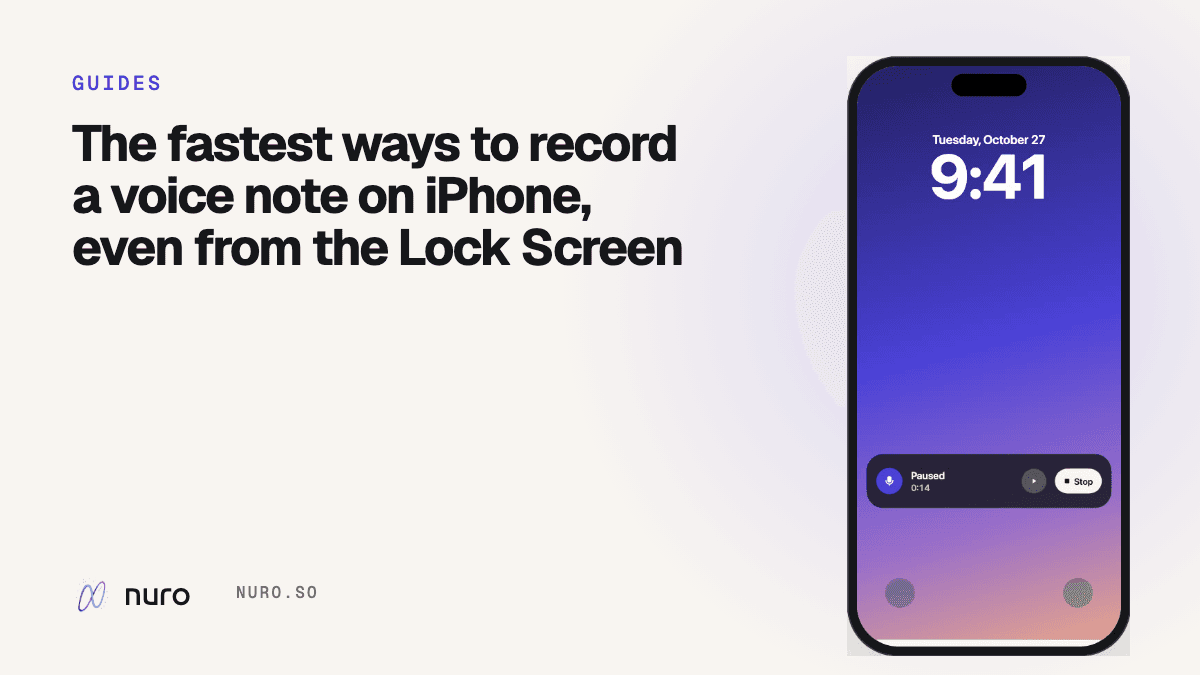
Nuro keeps recording when you lock the phone or switch to another app. A Live Activity on the Lock Screen and in the Dynamic Island shows the timer, with Pause and Stop. The first time, iOS asks whether to allow Live Activities for Nuro; say yes, or you won't see the controls.
If something does go wrong (the app gets closed, the battery dies), Nuro has already been saving the audio to the phone as you talk and recovers it next time you open the app.
Which one should you use?
- You record a lot, on the move: the Action button (if your iPhone has one) or a Lock Screen control. No looking at the screen.
- You want to see a prompt: the Home Screen widget. "What's on your mind?" is a surprisingly good nudge.
- You only record sometimes: Control Center. It's always one swipe away and costs no Home Screen space.
Pick one and use it for a week. The goal is that recording a thought takes less effort than deciding whether it's worth recording.
Frequently asked questions
Can I record a voice memo without unlocking my iPhone?
Yes. Control Center and Lock Screen controls work from the Lock Screen, and on iPhones with an Action button you can set it to start a voice memo. Nuro's Lock Screen widget and Control Center control also start a recording before you unlock.
Does Voice Memos keep recording when the screen locks?
Voice Memos keeps recording in the background. Nuro does too, and shows Pause and Stop on the Lock Screen and in the Dynamic Island while it does.
Is there a widget for voice notes on iPhone?
Yes. Nuro has small and medium Home Screen widgets and Lock Screen widgets that start a recording with one tap. More on the start from anywhere page.
What's the difference between a voice memo and a Nuro entry?
A voice memo is a recording, with a transcript on recent iPhones. A Nuro entry also pulls out to-dos, dates and things worth remembering for you to confirm, and you can search it by meaning later. There's a longer comparison in Nuro vs Apple Voice Memos.